
In 2025, I’ve been experimenting with new ways to produce cinematic AI ads using a workflow I built inside ComfyUI. My goal was simple: Can a single image become the foundation for a fully realized motion sequence using first-frame/last-frame video generation?
To explore this, I designed a custom WAN 2.2 First-Frame/Last-Frame workflow that lets each completed shot flow directly into the next. This approach creates consistent, controllable transitions, something traditional text-to-video models struggle with. Instead of relying on random motion, I wanted to build production-ready sequences where every shot begins with intention and ends with a creative payoff.
My first experiment used a product image from Onitsuka Tiger to see if I could turn a single shoe photo into a motion-graphic-style mini commercial. That expanded into a second test:
Could I take five images from their fashion line and build a realistic FPV-style ad, where the camera “flies” through each scene with smooth transitions?
These experiments helped me refine a complete AI video production pipeline, blending ComfyUI node logic, controlled transitions, image to video (I2V) consistency, and the creative flexibility of WAN 2.2. This is the same type of workflow I now use for brands, artists, and clients who want high-quality AI-driven content that feels intentional not random.
For this project I wanted to see how far modern AI tools can go when producing a high quality AI ad. I started with the Onitsuka Tiger Mexico 66 SD product photo and set out to build a full motion sequence using a custom WAN 2.2 first frame last frame workflow inside ComfyUI. The challenge was to turn one static product image into a complete cinematic storyboard that could support a full AI video.
To design the look of the ad, I used Qwen Edit inside ComfyUI to generate four stylized concept images based on the original shoe. Each image represented a key moment in the final sequence. The first showed the shoe painted onto a graffiti wall in a rainy alley. The second imagined the graffiti shifting into animated dragon shapes. The third expanded the scene into a vibrant neon dragon world. The final image delivered a clear branded payoff featuring the Mexico 66 SD shoe and glowing typography.
These four images became the foundation for every transition. This is the part most people do not see. Creating strong first frame and last frame pairs takes time. You have to build the images, refine the style, adjust the lighting, and keep the design language consistent. Each image must stand on its own, but also connect visually to the next frame in the sequence. This is where most of the creative hours go.
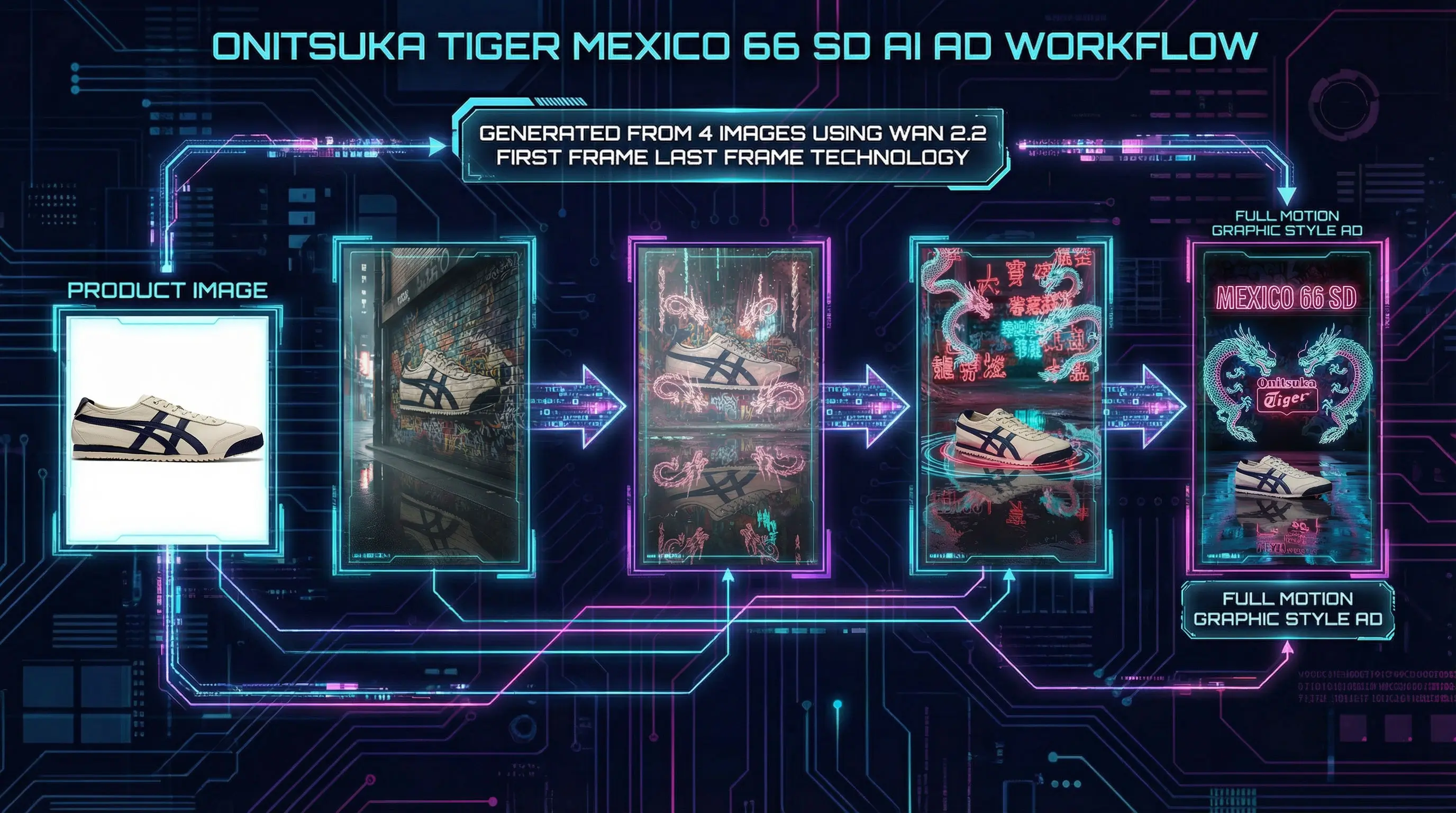
Once the images were finalized, I built a custom ComfyUI workflow that uses WAN 2.2 to generate smooth transitions from frame to frame. The workflow automatically feeds the last generated frame into the next segment, which lets the final video feel like a continuous cinematic shot. This is one of the major benefits of the first frame last frame method. You gain a level of control that traditional text to video systems rarely provide.
After several rounds of iteration, testing, and fine tuning, the end result was a short AI ad that blends product design, neon graffiti, animated dragons, and a clean branded payoff. It demonstrates how a single product photo can evolve into a full motion graphic style commercial when you combine structured image creation, a controlled ComfyUI workflow, and the transition strength of WAN 2.2.
To turn the concept images into a working ai ad, I built a custom first frame last frame workflow inside ComfyUI. WAN 2.2 performs best when it has clear start and end frames, so the workflow is designed to take each pair of images, generate the transition, then automatically pass the final frame into the next segment. This creates smooth, consistent motion that feels like one continuous video.
The real work is in the iteration. Each pair needed testing, tuning, and refinement. I adjusted prompts, other values, CFG settings, timing, and motion strength until the transitions felt cinematic and stable. This is the part that most people overlook. Creating high quality ai video requires a mix of creative planning and technical control, not a one click process.
Once the workflow was stable, it became a powerful production tool. It allowed me to scale from the single shoe ad into a full multi scene FPV fashion sequence using the same WAN 2.2 and ComfyUI pipeline.
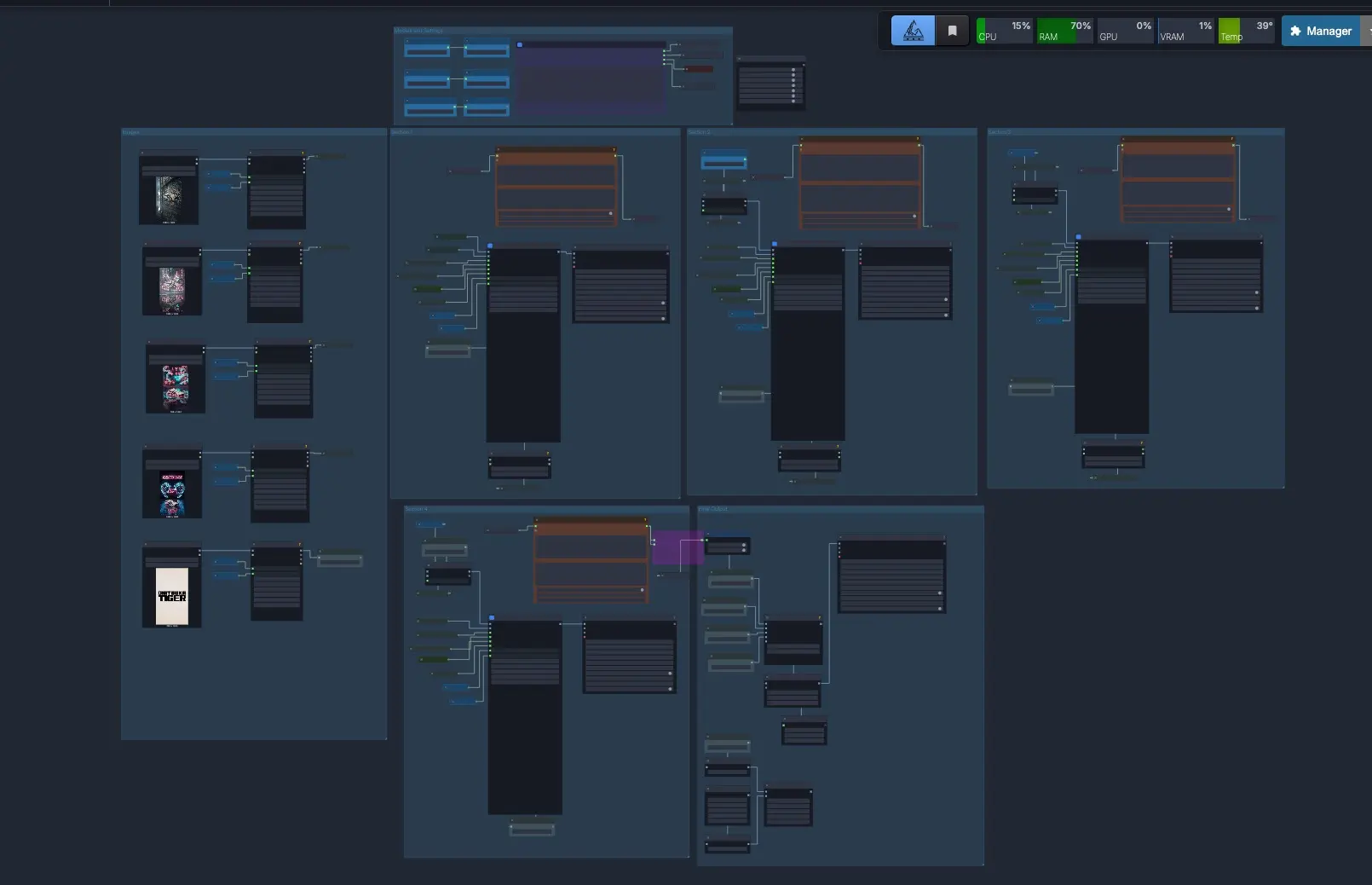
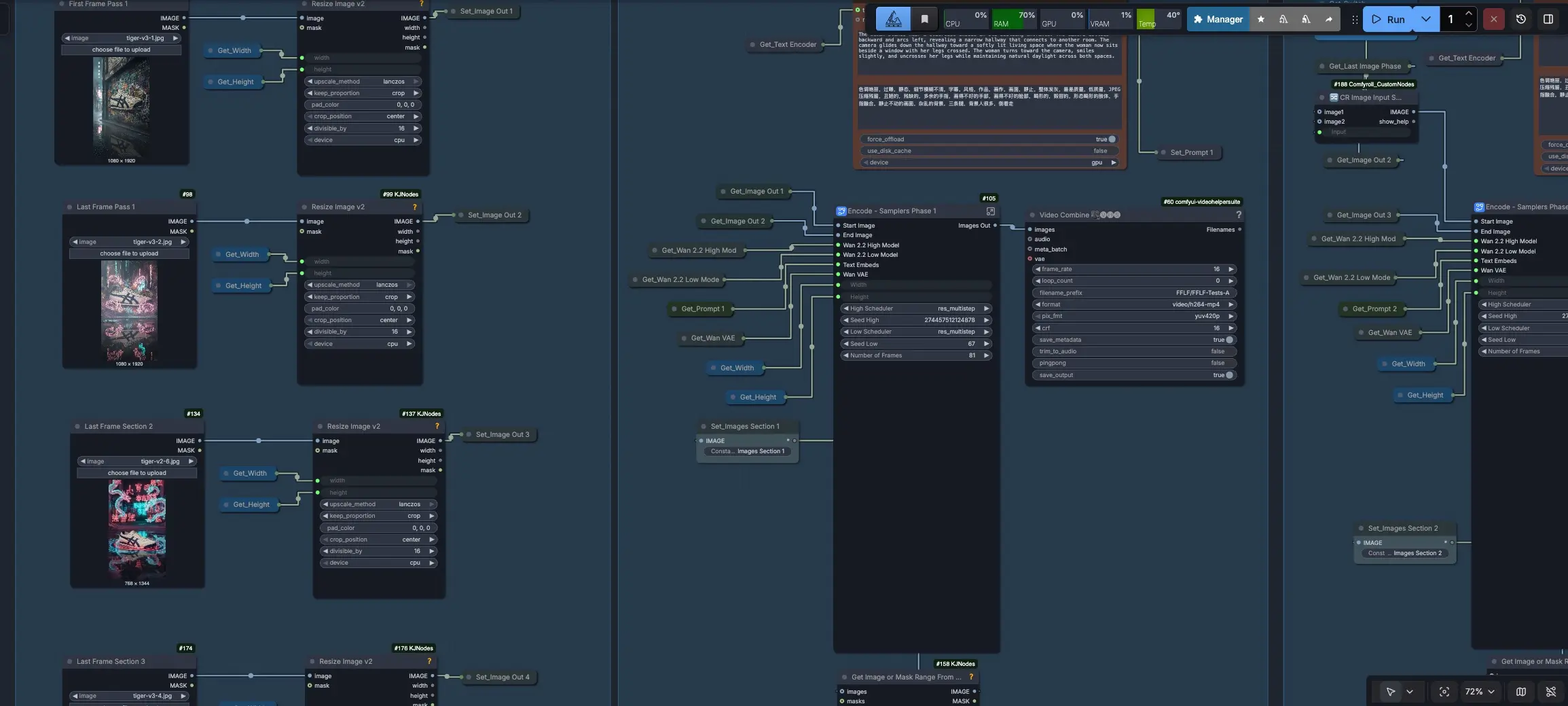 A close up of the images on the left and the first section that uses Comfy UI subgraphs
After the shoe project, I wanted to see if the workflow could scale into a larger ai fashion ad. I used five original Onitsuka Tiger product shots and treated each image as the last frame of a segment. The goal was to create a smooth FPV style sequence where the camera feels like it is flying through each scene before landing on the final branded frame.
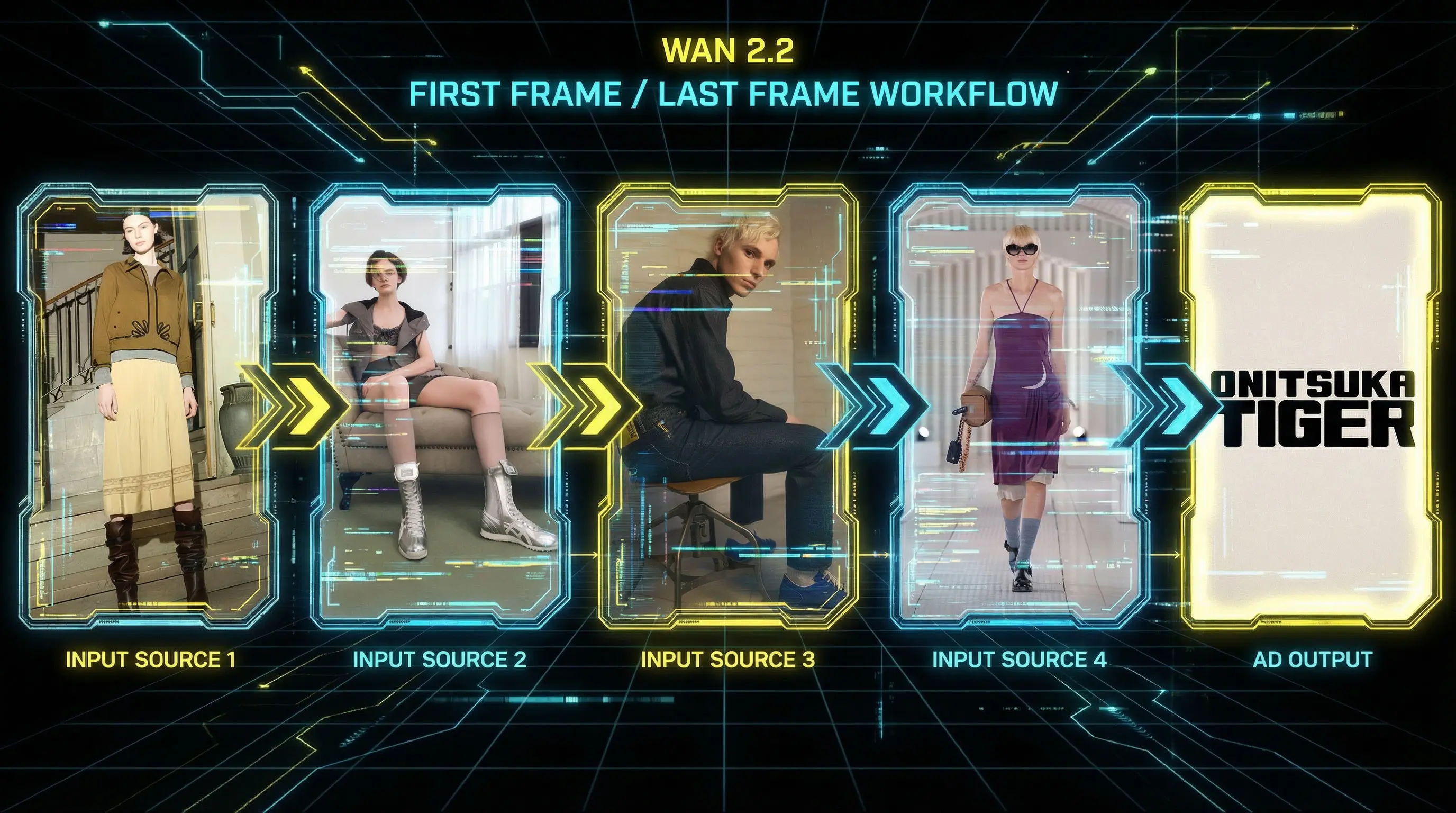
The challenge was that each photo had different lighting, poses, environments, and fashion styles. By using the same first frame last frame workflow in ComfyUI, WAN 2.2 was able to connect the scenes with consistent motion and color flow. Each transition required testing and refinement, but the workflow ensured that the visual style stayed stable across all five shots.
Once all segments were generated, I combined them into a single continuous video. The result is an unofficial ai ad that moves through the Onitsuka Tiger fashion line with smooth FPV energy and a clear branded payoff. It shows how a structured ComfyUI workflow can turn simple product images into a complete multi scene ai commercial.